And Anthropic runs a dynamic-workflow orchestrator in its own CI/CD on-call rotation, spinning up parallel executor subagents to chase failures. The pattern this post described from the outside is now running in production at a frontier lab.
The name is misleading. Codex sounds like a tool for programmers, and it started as one. But what OpenAI has built with Codex and GPT 5.5 is something closer to what Every.to's team calls an operating system for knowledge work: a persistent agent workspace that runs goals across sessions, connects to your tools, and handles tasks across email, research, writing, planning, and meetings alongside code.
The companies using it well are not treating it as a faster way to write code. They are treating it as a team member. Katie Parrott, head of content at Every.to, describes it as an agent you can brief on what done looks like, point at your relevant data sources, and leave working while you do other things. You check back when it needs you. Not the other way around.
This article explains what Codex actually is, how GPT 5.5 differs from previous OpenAI models, what the key capabilities are, and how companies are using it across their business, not just in engineering.
What Codex Actually Is
A tool-using agentic workspace. Every word in that phrase matters.
Tool-using: Codex can read and write files, connect to external services through plugins and integrations, run scripts, control a browser, and take actions in apps. It is not just generating text. It is doing things.
Agentic: It runs multi-step tasks without asking for guidance at every step. You give it a goal, not a prompt. It plans, executes, checks its own work, revises, and reports back when it needs a decision or is done.
Workspace: It holds context across sessions. It remembers your files, your preferences, your ongoing work. When you return to a task the next day, it knows where things stand. This is fundamentally different from a chat interface that starts fresh with every conversation.
Chat. Respond. Repeat.
Goals. Actions. Results.
GPT 5.5: What Changed
GPT 5.5 is the model powering Codex. It is a step change from GPT-4o and the model line that came before it.

Andreessen
"For almost any topic, the top AIs now give better answers than the actual world-class experts I could call on the phone. And I can call basically anyone."
The specific improvements that matter for Codex's knowledge work use cases:
- Multi-step reasoning: Better at holding a complex goal across many steps without losing track of constraints or requirements.
- Tool use accuracy: More reliable at connecting to external systems, reading files correctly, and taking precise actions.
- Self-correction: More likely to notice when a result does not match what was asked and iterate without being told.
- Context handling: Better at working with large amounts of information without losing the thread.
Goals and Skills: The Key Concepts
Two concepts define how Codex works differently from a standard AI assistant. Understanding them explains most of what Codex can do.
Goals are persistent objectives. You set a goal with /goal and describe what done looks like, how success gets checked, and what constraints to respect. Codex then keeps working toward that outcome across interruptions and session breaks.
The test for when to use a goal: if you would type the same instruction in three separate messages, "always cite your sources, match our house style, never send without my review," make it a goal instead. It applies to everything Codex does in that session.
Skills are reusable instructions. A skill teaches Codex how to handle a recurring kind of task well. Once you have defined how you want weekly competitive analysis reports formatted, or how to process incoming sales enquiries, or how to handle end-of-day meeting summaries, that skill runs automatically for every instance of that task.
Together: Goals tell Codex what you are trying to accomplish. Skills tell it how to do recurring tasks within that goal. The combination is what makes it a workspace rather than a chat tool.
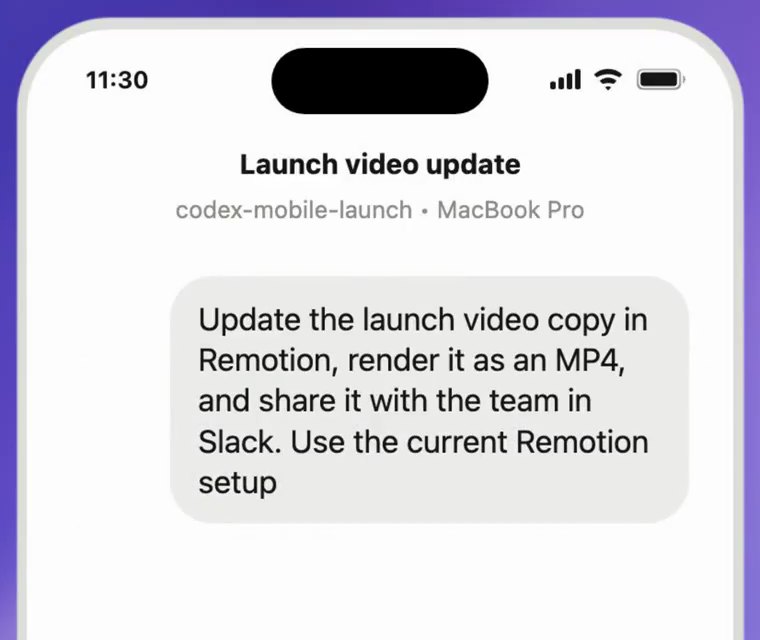
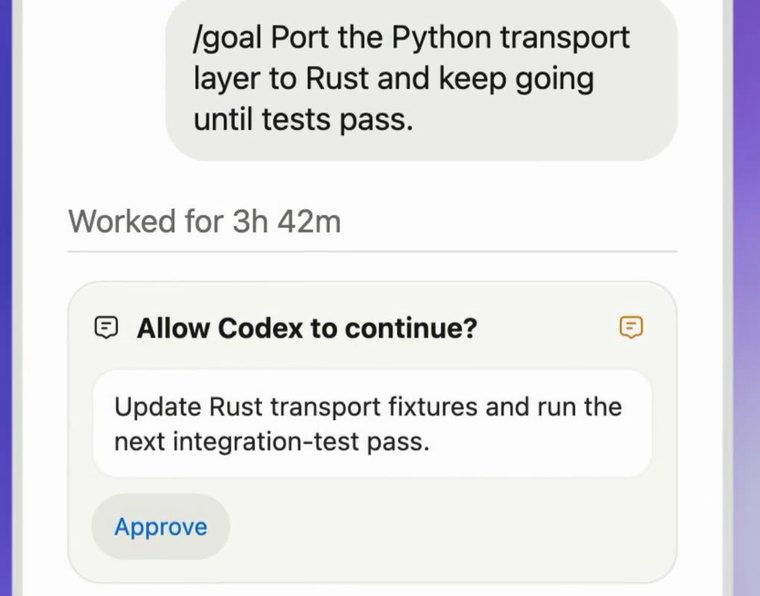
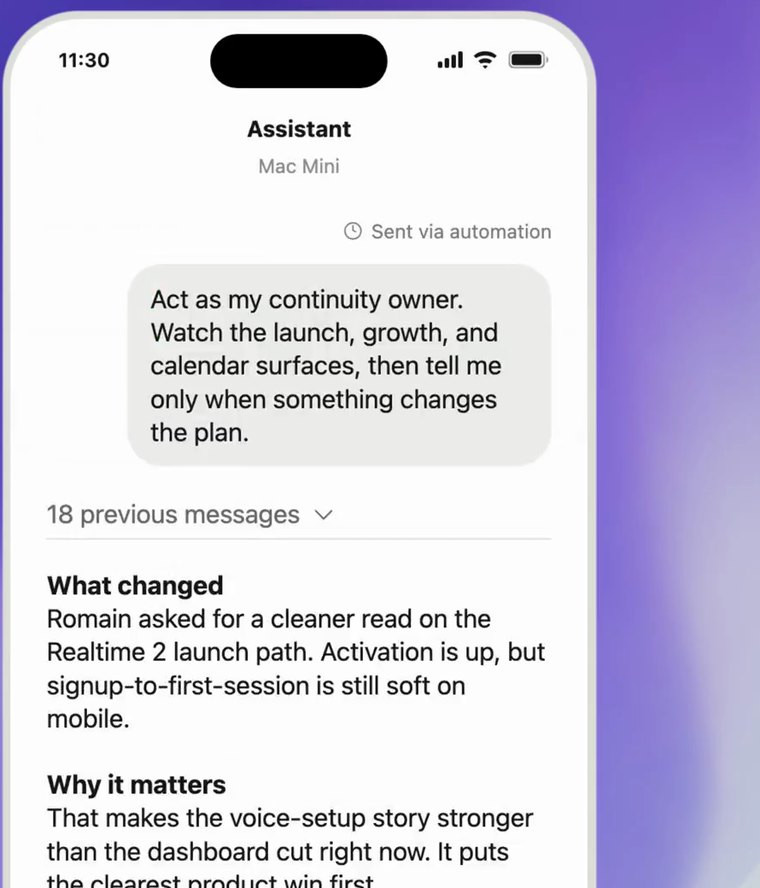
Frames from OpenAI’s Codex mobile video on X (1).
A CEO's Codex setup
- Goal: "My company is preparing for Series B. Track all relevant signals, competitor moves, customer feedback, market news, and surface anything I should know before my Monday morning standup."
- Skill: "When summarising competitor news, always include: what changed, why it matters, and one question I should ask my team about it."
- Skill: "Meeting notes format: attendees, decisions made, action items with owners, open questions. Post to Notion within 30 minutes of the meeting ending."
- Result: Codex runs continuously. Monday morning summary is ready before you open your laptop.
What Every.to Learned Running Four Agents
Katie Parrott and the team at Every.to, a 25-person media company, documented what happened when they moved their core coordination work to four Codex agents:
Anton (Prioritisation): Routes daily priorities to team members and posts company-wide summaries to Slack. Synthesises launch calendars, strategy documents, and task lists. Answers the question every employee has every morning: "What should I work on today?"
Max (Meetings to Tasks): Extracts action items from meeting transcripts, posts them to Slack as numbered lists, and converts selected items into tasks linked to relevant projects.
Strategy Interviewer (OKR Planning): Conducts quarterly goal interviews with team members, pushing for specificity and measurable outcomes while ensuring alignment with company strategy. Reduced planning from weeks to two days.
Campaign Reporter (Growth Tracking): Delivers daily scorecards showing key metrics, pace indicators, and whether targets are being met.
Team
"We moved from relying on the COO as a human router to automating core coordination work."
The COO stopped being the conduit for information. The agents became the conduit.
Three things the Every.to team found essential:
- Interconnected databases. Agents gain power by querying linked information, strategy, calendar, tasks, people, notes, not isolated files.
- Outcome-focused prompts. Describe what you want, not the steps.
- Progressive complexity. Start simple, then build subsequent agents on existing foundations.
The Folder Is the Agent
Kieran Klaassen at Every.to discovered something surprising when managing 44 concurrent agents: you do not need complex orchestration. You need well-organised context.
A well-structured project folder, with CLAUDE.md or similar context files encoding conventions and institutional knowledge, turns the same AI model into a different specialist depending on which folder it reads. Point it at your codebase folder, it behaves like a Rails engineer. Point it at your monitoring folder, it behaves like an operations engineer.
Klaassen runs 44 concurrent agents through a file-based dispatch system with two commands: /hey generates status reports across all projects, and /orchestrate breaks tasks into subtasks and spawns workers in appropriate folders.
The implication: the barrier to running multiple agents is lower than it looks. The orchestration infrastructure is not the hard part. The hard part is having clean, well-structured context in each domain.
Codex vs Claude Code: What to Use When
For companies looking at both tools: both are agentic coding and knowledge work platforms. Both can run parallel tasks, use tools, and connect to systems. The differences are in emphasis.
Knowledge work. Operations. Mobile.
Engineering. Scale. Depth.
Neither is objectively better. The companies running at Wave 3 typically use both: Claude Code for engineering-heavy workflows, Codex for knowledge work and business operations. My own daily stack runs both.
Keep reading.
Teardowns, benchmarks and playbooks on building AI-native products.
Browse the Playbook →